
Jordana Dambros
Creating a product catalog is one of the most demanding projects many B2B companies face. It involves marketing, sales, the technical department and graphic designers, all of whom need to work with accurate and consistent product information.
When this information is fragmented across systems, documents and departments, catalog production becomes a continuous cycle of checks, corrections and new versions. Prices, technical specifications, images and variants can change while the document is already being designed, increasing the time required and the risk of publishing outdated information.
So, how can you create a product catalog that is accurate, easy to update and useful to customers and sales teams?
The process begins before the graphic design stage. Product information must first be organized, centralized and connected to a controlled publishing workflow. Product catalog management software, such as a PIM platform, supports this process by making structured information available for catalogs, price lists, technical data sheets and digital channels.
1. Why product catalog creation creates conflict between departments
One of the most common difficulties in catalog production is the lack of coordination between departments. Creating a catalog reveals every weakness in the company’s product information workflow.
- The technical department manages measurements, materials, tolerances, certifications and other technical specifications. This information may be distributed across different systems and technical documents that are not easily accessible to other teams.
- Marketing needs descriptions, benefits, images and content adapted to the target audience. It often receives incomplete or inconsistent technical information and spends weeks checking and rewriting it.
- The sales department needs an up-to-date catalog for customers, agents and distributors. Outdated products, prices or configurations can undermine credibility during negotiations.
- The graphic designer is often caught in the middle, making repeated corrections in InDesign as product information changes during layout production.
A frequent mistake is to begin the graphic design before the product information has been consolidated. This creates a continuous cycle of drafts, corrections and requests between departments, extending production time and increasing the risk of errors in the final document.
2. Product catalog software: manual and automated processes compared
Many companies underestimate the cost of manually creating and updating a catalog. Comparing the two approaches helps clarify where time and resources are being used.
Manual catalog layout
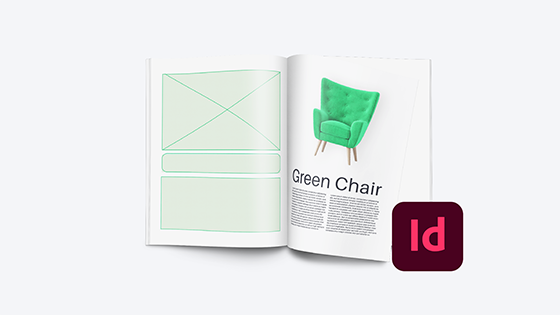
A manual process is generally based on copying and pasting information. The graphic designer receives content from marketing or the technical department and manually transfers it into InDesign.
This approach has several limitations:
- Higher risk of inconsistency: a price, product code or technical specification can be copied into the wrong position.
- Slow updates: every change requires the designer to open the layout, find the relevant page, make the correction and export the document again.
- Repeated checks: each new version must be reviewed by several departments.
- Hidden costs: the apparent cost is limited to working hours, but repeated corrections, delays and possible reprints increase the overall investment.
- Dependence on individual documents: updated information can remain inside the graphic layout instead of being made available to the rest of the company.
Automated catalog layout with a PIM
With an automated process, product information is managed in a centralized source and transferred to the layout according to predefined rules.
The main benefits include:
- Better error control: information is retrieved from a centralized source, reducing manual transcription and inconsistencies between catalogs, price lists and technical data sheets.
- Faster updates: changes that could take weeks in a manual workflow can be completed more quickly once the structure and templates have been configured.
- Greater flexibility: product selections, languages, markets and price lists can be managed without rebuilding the entire document for every version.
- More consistent outputs: the same structured information can be used in different documents and sales channels.
The PIM organizes and centralizes product information. The publishing system then uses this information to produce or update the catalog layout.
For this phase, On Page® works with Lithos, a partner specializing in the design and automation of multilingual catalogs and price lists. Lithos develops editorial structures and flexible layouts that connect structured product information to InDesign, making subsequent updates easier to manage.
3. How to design a product catalog: four key principles
Before opening graphic design software, the company must define the foundations of the catalog. A visually attractive layout will not compensate for a weak product structure or incomplete information.
A. Design a customer-oriented product hierarchy
Products are often classified according to warehouse or production requirements. Customers, however, search according to their own needs and applications.
A furniture company, for example, may find that categories such as “Modern Style” and “Classic Style” are easier for customers to understand than classifications based exclusively on internal product codes.
A clear product hierarchy may include:
- Main category, such as Bathroom Furniture;
- Subcategory, such as Taps and Fittings;
- Series or family, such as Stainless Steel Series;
- Product and variants, including sizes, finishes and materials.
The structure must reflect both the company’s product model and the way customers search for and compare products.
B. Include complete technical attributes
In a B2B catalog, aesthetics attract attention, but technical information supports the purchasing decision.
Each product should include clear and relevant attributes. A customer looking for an industrial component may need to know voltage, pressure, dimensions, certifications or material compatibility before contacting the company.
A catalog without adequate technical specifications becomes difficult to use as a sales tool and creates additional requests for the back-office team.
C. Use a flexible layout structure
In an automated workflow, the graphic design must adapt to the content.
Layouts that are too rigid can create difficulties when descriptions have different lengths, products contain a different number of attributes or some languages require more space than others.
A flexible editorial structure makes it easier to manage:
- products with different information depths;
- longer translated content;
- tables with varying numbers of attributes;
- multiple page formats;
- different product families;
- market-specific catalog versions.
The objective is to maintain visual consistency without forcing every product into an unsuitable structure.
D. Centralize digital assets with a DAM
Managing thousands of images, technical drawings, logos and documents manually makes it difficult to identify the correct and most recent version.
This is where the integration between PIM and DAM, Digital Asset Management, becomes valuable.
A DAM organizes and connects digital assets to the relevant products. When the documentation is generated or updated, the publishing process can retrieve the assets associated with each product code, reducing the risk of using outdated or incorrect versions.
Managing catalog images with an integrated DAM
Understanding how to create a product catalog also means considering how images and other digital assets will be managed.
Technical information alone is not sufficient. Depending on the product and market, the catalog may require:
- product photographs;
- lifestyle images;
- detail views;
- technical drawings;
- diagrams;
- certifications;
- manuals;
- logos and icons;
- videos or links to multimedia content.
Unlike a standard folder on a company server, the DAM integrated into On Page® makes it possible to organize these assets and connect them to the corresponding products.
When an image is updated in the DAM, the new version becomes available to the connected publishing workflow. This makes it easier to use the correct assets when generating or updating catalogs and product documentation.
To learn more about how these systems work together, read our article on the differences between PIM and DAM.
4. Common product catalog mistakes and how to avoid them
Through its work with manufacturing companies, On Page® frequently encounters several recurring issues in catalog production.
1. Combining content from different catalog versions
Some companies reuse sections from older catalogs and combine them with newly designed pages. This can create inconsistencies in typography, colors, product structure and terminology, weakening the brand’s visual identity.
A shared editorial system and predefined templates make it easier to maintain consistency between different sections and editions.
2. Keeping updated information inside the graphic layout
In some workflows, the latest price or technical specification exists only inside the designer’s InDesign document.
This creates dependence on the graphic file and on the person who manages it. Product information should be maintained in the PIM and then used by InDesign, rather than being updated exclusively inside the layout.
3. Neglecting the digital user experience
A catalog published online must be readable, easy to find and consistent with the product pages on the company’s website.
Its structure, text and links should help users understand the products and continue their journey. When appropriate, links and QR codes can connect the catalog to product pages, configuration tools, e-commerce functions or contact forms.
4. Failing to include a next step
A product catalog should support a commercial action.
Depending on its purpose, the document can direct readers to:
- contact the sales department;
- request a quotation;
- visit a product page;
- access technical documentation;
- configure a product;
- place an order;
- contact a local distributor.
The most appropriate call to action depends on the audience and the role of the catalog within the sales process.
5. Cloud solutions for catalog management and automated layout
The evolution of cloud platforms has made automated catalog layout accessible to manufacturing companies that need to manage catalogs, price lists and product documentation with frequent updates.
Cloud-based product catalog solutions offer several advantages:
- Scalable access: teams can use the platform according to their roles and responsibilities.
- Collaboration: marketing can enrich product information while the technical department checks specifications and the graphic designer works on the layout.
- Centralized updates: changes are managed at the source instead of being repeated in every document.
- Remote availability: authorized users can access the information without depending on a single workstation.
- Continuous platform development: updates and improvements are managed centrally by the software provider.
Before choosing a solution, the company should still assess implementation requirements, integrations, user roles, training and the structure of its existing product information.
6. On Page®: product catalog management software for B2B companies
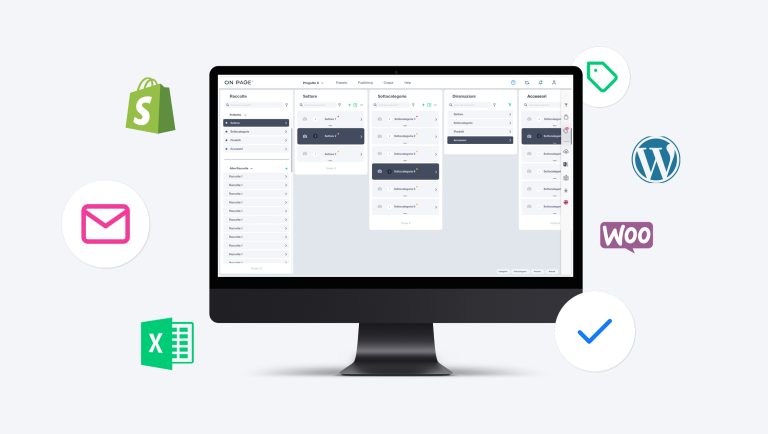
On Page® centralizes and organizes product information and connects it to the processes used to create and update commercial and technical documentation.
Marketing, sales and technical departments can work from the same source while retaining specific permissions and responsibilities.
A single source of product information
Centralized product information can be reused across:
- catalogs and price lists;
- websites and e-commerce stores;
- technical data sheets;
- product sheets;
- commercial documentation;
- tools used by agents and distributors.
When information is updated at the source, it becomes available for the connected publishing processes. This reduces duplication and makes it easier to maintain consistency across documents, markets and channels.
Fewer manual activities and faster updates
By automating the transfer of product information to InDesign, graphic designers no longer need to copy and update each item manually.
They can concentrate on layout quality and the reading experience, while changes to product information are managed upstream and transferred to the documentation through a controlled process.
For companies that manage extensive catalogs, frequent updates or several market versions, this can substantially reduce repetitive work.
Multilingual and multi-market management
Companies selling internationally must manage translations, market-specific content, currencies and different commercial configurations.
On Page® supports language variants and makes it possible to reuse validated translations. The same product structure can be used to prepare catalog versions for different markets while maintaining a consistent editorial layout.
Creating product documentation with Builder
On Page® Builder generates product documentation using the information stored in the platform.
It can be used to create:
- technical data sheets;
- product sheets;
- price lists;
- commercial documents;
- customized product documentation.
Builder does not replace the editorial design of a catalog. It supports the automated generation of structured documentation based on templates and centralized product information.
Catalogs requiring advanced editorial design can instead be connected to InDesign through an automated publishing workflow.
Conclusions: create catalogs from structured product information
How can you create a product catalog that is useful, reliable and easier to update?
The starting point is the quality and organization of product information. Centralizing it in a PIM platform creates a more orderly workflow between marketing, sales, the technical department and graphic design.
Layout updates become faster, fewer manual interventions are required and the same information can be reused more consistently across markets, documents and channels.
For a B2B company, this means responding more quickly to the sales network and providing customers, agents and distributors with more reliable product documentation.
Would you like to make the creation and updating of your product catalogs more efficient?
The On Page® team can help you organize your product information and design a coordinated workflow across departments.
Frequently asked questions about product catalog creation
How long does it take to implement a PIM for catalog management?
The timeline depends on the volume, structure and quality of the existing product information, as well as the required integrations and outputs. Initial templates and publishing workflows can be configured once the information model and project scope have been defined.
Can On Page® integrate with our existing company systems?
Yes. On Page® can connect with existing company systems to import and update product information. The specific integration method depends on the available sources, formats, APIs and required update frequency.
Does automated catalog layout limit graphic creativity?
Automated layout does not require every catalog to have a basic or standardized appearance. A flexible graphic template can preserve brand identity while automating repetitive content placement.
Graphic designers can therefore concentrate on the visual system, layout quality and user experience instead of manually entering and correcting product information.
What is the difference between PIM software and catalog creation software?
PIM software organizes, enriches and distributes product information. Catalog creation or publishing software uses that information to produce the graphic document.
Connecting the two systems allows the company to maintain product information in a centralized source and use it to create or update catalogs, price lists and other product documentation.
What information is needed to create a B2B product catalog?
A B2B catalog generally requires product codes, descriptions, technical attributes, variants, dimensions, materials, certifications, images, drawings and commercial information. The exact structure depends on the industry, target audience and purpose of the catalog.

Centralize, update, publish. Without starting from scratch every time.
Discover how On Page® centralizes and synchronizes product information.